





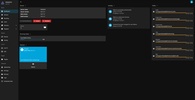









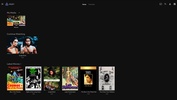
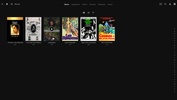
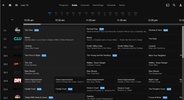

Jellyfin is one of the most popular apps for managing your multimedia library of movies, series, and music to access the content from anywhere. With Jellyfin, you can turn your own PC into a media server that's manageable from your browser, from which you can organize, manage, and stream your favorite content. Jellyfin is one of the best alternatives to Plex, as it is completely free and ad-free, allowing you to create a "personal Netflix" with the video and audio files you already have stored on your PC's hard drive.
Local server configuration
Upon running the installer and completing the initial setup via the local web browser, the software scans the folders you've selected for your multimedia files. The app automatically recognizes the content and downloads metadata from the Internet, such as movie posters, synopses, cast lists, ratings on IMDb and Rotten Tomatoes, and album covers, organizing your collection in a very visual and orderly way.
Cross-play and client apps
Once the server is running on your PC, you can access your content from virtually any device connected to your local network. There are free clients for Android and iOS smartphones, video game consoles like Xbox, streaming devices like Roku or Fire TV, and smart TVs. Additionally, it features the native "Jellyfin Media Player" for Windows, macOS, and Linux, which allows you to view content without needing to open the browser.
Total user control and privacy
Since this platform is designed around self-management, you have total control over who accesses your library. Through the administrator panel, you can create independent accounts for your family or friends and set specific restrictions for each profile. For example, you can hide adult movies from the kids' account or restrict certain users’ access to specific folders. Furthermore, since the system is open source and doesn't depend on external servers, your viewing data and private catalog are never shared with third-party companies.
My experience with Jellyfin
I installed the Jellyfin server on my desktop PC, selecting a secondary hard drive where I keep my backups of home movies and old series. The installation process on Windows was fast, and as soon as I opened the app, the local IP opened in my browser. In a matter of minutes, the platform scanned the contents of the folder and added cover art to almost all of my videos. Afterwards, I downloaded the client app on my LG TV and on my Android smartphone. Playback on both devices worked without any interruptions or stuttering, automatically loading local subtitles and resuming content exactly at the minute where it had been paused on the computer.
What I liked most about Jellyfin and what could be improved
· What I liked the most: the total absence of paywalled features and ad trackers, providing you with a clean viewing experience that respects your privacy, unlike more commercial alternatives on the market.
· What could be improved: the configuration for accessing the server from outside your home network, as it requires certain technical knowledge about opening ports on the router and dynamic DNS, something that might be too complex for less experienced users.
Download Jellyfin if you're looking to transform your Windows PC into a free personal media server, organizing your video and audio files and playing them comfortably on any device.
Jellyfin is for you if
✓ You want a personal Netflix-style media library streamed from your PC to every device
✓ You enjoy your movies and music automatically organized with posters, metadata, and rich visual browsing
✓ You value complete privacy and user controls with open-source, ad-free hosting on your own hardware


 1 reviews



















Comments
There are no opinions about Jellyfin yet. Be the first! Comment